
Which station is best for my area?
You should be able to get the best sound quality thru 87.9 FM / 87.5 FM / 94.9 FM / 102.7 FM
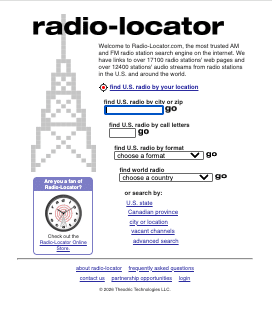
If the above stations is NOT clear in your area, you can find the best station for your area by going to this website
Enter your City (or Zip Code) and State to find the best vacant FM Frequencies Click Here for ( Best Vacant Station ) in your area.
https://radio-locator.com/cgi-bin/vacant
VIP installation – Go to the setting – Bluetooth – Pair New device and look for HY62 ( VIP )
Mode button will allow you to switch to Aux for direct input
The BASS button on the VIP is for AUX and direct input ONLY.
*** It NOT functional when using the Wireless Bluetooth Connection. ***
Basic Installation – Go to the setting – Bluetooth – Pair New device and look for S- 23 ( Basic )
How to upgrade old radio to Bluetooth smart speaker.
Using the gizmo guy gadget, you can turn any old radio into a Bluetooth-compatible smart speaker.
Simply connect the gizmo guy gadget to a USB charger for power. You will notice that the LCD display indicates that the gizmo guy gadget is now ready to be connected to your old radio.
Set the gizmo guy gadget dial to 87.9 FM by holding the button for more than 3 seconds. Once you see the LCD display flash. You can turn the dial and set the gizmo guy gadget to whatever station you wish to pair to your old radio.
Since 87.9 FM works for 99 % of people. We will use 87.9 FM for this demo. Once you set the dial to 87.9 FM, you can long press the button to set the dial to 87.9 FM.
You will also need to dial your old radio setting to pair it with the gizmo guy gadget. Once the gizmo guy gadget and the old radio dial are paired to 87.9 FM, you are ready to connect your phone to the gizmo guy gadget via Bluetooth.
On your iPhone or Android phone, go to the setting – Bluetooth – “Pair New device” and look for HY62. ( VIP ) or S-23 ( Basic )
Simple Bluetooth Connection:
- Plug in and Turn on your Gizmo Guy Gadget
- Enable Bluetooth on your iOS or Android phone and search for your phone.
- Select “HY62 (VIP)” or “S-23 (Basic)” to pair.
- Once you hear “Bluetooth Paired,” you’re ready to go!
You should be able to get the best sound quality thru 87.9 FM / 87.5 FM / 94.9 FM / 102.7 FM
If the above stations is NOT clear in your area, you can find the best station for your area by going to this website
Enter your City (or Zip Code) and State to find the best vacant FM Frequencies Click Here for ( Best Vacant Station ) in your area.
Having Trouble Tuning the Radio Station Manually?
Follow these steps for automatic setup:
- Power Up the Gadget: Plug the Gizmo Guy Gadget into your car’s cigarette lighter or a power bank and ensure it’s turned on (check for a lit display showing the station number).
- Activate the “SEEK” or “SCAN” function on your car radio and let it run until it stops on a station (ideally 87.9 or 87.5 MHz – check the included video for more details).
- Success! Once your car radio picks up the signal (around 87.9 or 87.5 MHz), you might hear a “Bluetooth Connected” announcement when you turn your car on and off.
- Save the Station (Optional): For easier access in the future, consider saving 87.9 MHz as a preset on your car radio.
External Battery – Alternative Power Source
You can use an external battery as an alternative power source to eliminate wire clutter ( go stealth ) and also improve sound quality
Power Bank – Stealth Set-up
Troubleshooting Tips
Optimize Phone Volume:
For the best sound quality, turn your phone’s volume up to 75-80% before connecting it to your car stereo. This ensures a strong signal for clear audio.
Control with Car Stereo:
Troubleshooting Tips
Optimize Phone Volume:
- For the best sound quality, turn your phone’s volume up to 75-80% before connecting it to your car stereo. This ensures a strong signal for clear audio.
Control with Car Stereo:
- Use the volume knob on your car stereo to adjust the sound to your preferred listening level.
I GET STATIC WHEN I USE THE TRANSMITTER.
- AUDIO SIGNAL: If you are experiencing issues with the audio signal, test the FM Transmitter with another device, if possible (another phone, iPod, etc.). If the FM Transmitter works as expected with another device, then the issue is most likely isolated to your device.
- VOLUME: For best results, set the volume on your device to 90%, and adjust the volume on your vehicle’s stereo as needed. To protect a user’s hearing, most devices contain a feature that limits the volume coming from the headphone port, so you may need to check your device’s settings for this volume-limiting option and then disable it. Phone calling volume is controlled by the ” Calls ” and music volume is controlled by ” Media ” in your phone volume settings.
- STATIC: To eliminate or minimize static, use frequencies at the lower end of your vehicle’s stereo range, and also place the device on your vehicle’s dashboard or passenger seat, away from the FM Transmitter itself. Try to keep the VIP wire as straight as possible without folding and away from other electronic devices. When properly calibrated with your vehicle’s stereo, you should not be bothered by hissing or static noises.
- FM FREQUENCIES: Typically they broadcast on any FM frequency from 87.5 to 108.0 MHz in most of the world, and 88.1 to 107.9 MHz in the US and Canada.
The 87.9 works for 95% of people in the United States. For quick adjustments in the future, you can use the preset buttons on both the FM Transmitter and your vehicle’s stereo to save these unused frequencies. - POWER: If the FM Transmitter does not turn on, then test it in another vehicle, if possible. If it works as expected in the other vehicle, then the issue is most likely with your vehicle’s power port. If it fails to work as expected in the other vehicle, then check to see if the fuse in the FM Transmitter has blown. The FM Transmitter is equipped with a 3-amp/250-volt fuse which is accessed by unscrewing the two-piece metal tip.
- If you prefer to use AUX. ( VIP ONLY ) You can turn off the FM transmitter function by pressing and holding the dial until the frequency number flashes, and then hold it for another 5 seconds until the display flashes “ bt”. Release the dial, and the FM transmitter function will be disabled.
The Music works but the talk hands-free is NOT.
There are several iPhone settings that can affect the audio output of phone conversations, depending on the specific aspect you want to control:
Overall Volume:
- Volume buttons: The most basic control is the physical volume buttons on the side of your iPhone. These adjust the overall call volume, both for your mic and the speaker output.
- Control Center: During a call, you can swipe down from the top-right corner to open Control Center. The top slider directly controls the call volume.
Call Options:
- Voice Isolation (FaceTime/Calls): Go to Settings > Accessibility > Audio/Visual > Call Audio. There, you can turn on Voice Isolation, which prioritizes your voice and blocks background noise in FaceTime/calls.
- Wide Spectrum (FaceTime): In the same settings, you can enable Wide Spectrum to capture and transmit all surrounding sounds during a FaceTime call for a more immersive experience.
- Phone Noise Cancellation: On some iPhone models, there’s a “Phone Noise Cancellation” option in Settings > Accessibility > Audio/Visual > Call Audio. This helps reduce ambient noise on the other end of the line.
Accessibility-focused settings:
- Mono Audio: In Settings > Accessibility > Audio/Visual, you can turn on Mono Audio to combine the left and right channels for improved clarity, especially for users with hearing impairment.
- Balance: In the same settings, you can adjust the Left-Right Stereo Balance slider to favor one ear over the other, helpful for hearing differences.
- Headphone Accommodations: If using earphones or headphones, Settings > Accessibility > Audio/Visual > Headphone Accommodations offers adjustments like boosting specific frequencies for customized audio during calls. You can even create a custom profile based on your hearing preferences.
Other factors:
- Cellular network quality: Poor network conditions can impact call audio quality.
- Bluetooth headset/speaker settings: If using an external audio device, its own settings might affect call audio output.
Remember, some settings might only work with specific call types (FaceTime vs. phone calls) or devices.
I hope this helps! Let me know if you have any other questions or need further clarification on a specific setting.
Got Questions?
Text Me @ 1-415-294-1677

RETURN INSTRUCTION:
1. Would you please tell me what type of vehicle you use it on?
2. Please include your name and address ( so I know who to credit to ) along with all the remaining original packaging
Note: The manufacturer will only refund or exchange the unit if the transmitter has not been modified or doctored in any way.
Please ship the return item to this address:
Gizmo Guy Gadgets
573 41ST AVE
San Francisco, CA 94121
U.S.A
I will refund 100% of your money as soon as I receive your returned item in good condition.
However, your payment method is how you will get your refund.
Please allow 2 to 3 weeks for the return and refund process.
ABOUT FEDERAL COMMUNICATION COMMISSION – FCC
As mandated by the FCC or your local equivalent. In the USA, the rule requires an ERP of 0.01 µW, or 10 nW, or -30dBm. So ok, you’re only going a meter or so, so that signal at the car’s antenna should be around -40dBm to -45dBm, depending on the actual distance. And a typical consumer FM receiver should be good to -90dB or so receive sensitivity. When it comes reception and sound quality. It’s all about the antenna! Where’s your antenna? Where’s the FM transmitter? Chances are, the answer to the latter is “somewhere near a DC outlet”. So if you have one of those in-windshield FM dipole antennas, you might have a pretty good signal, though the direct path to your antenna might be through your dashboard. But if your antenna is one of those shark fins on the roof, you have a 5-10 millimeters of steel between your transmitter and your receiver. The final sound quality will be degraded accordingly. The FM radio band is essentially a “line of sight” band. To hear a signal, you have to be able to see the tower. FM radio does have some power to penetrate buildings and the like, but ultimately the maximum distance that can be achieved is mostly set by the curvature of the earth. But on the “medium wave” band, radio waves can be ducted and can curve around the earth, especially at night.
FM radio sounds so much better is that the extra space effectively allows them to send more data. Without getting technical, they have 20x as much space, and so can send not just a wider range of audio frequencies, but also stereo sound, and other more modern improvements like the Radio Data System – Wikipedia.